

iPad Battery Replacement: When and Where to Get It Done
If your iPad isn’t holding a charge like it used to or shuts down unexpectedly, chances are the battery is on its last legs. Battery issues can disrupt your productivity, entertainment, and communication — all the reasons you likely bought an iPad in the first place. Knowing when to replace your iPad battery and where to go for reliable service can save you time, money, and stress.
This detailed guide explores everything you need to know about iPad battery replacement: signs that it’s time for a new one, the replacement process, where to get it done safely, and how to avoid common repair pitfalls.
Signs Your iPad Battery Needs Replacement
Most batteries degrade over time, and iPads are no exception. Here are the most common signs that your battery is ready for a replacement:
1. Rapid Battery Drain
If your fully charged iPad only lasts a few hours before needing a recharge, your battery might be degraded. While software or app usage could be a factor, constant fast drain usually points to the battery itself.
2. Unexpected Shutdowns
Does your iPad turn off at 20%, 50%, or even higher? A healthy battery should deplete smoothly. Sudden shutdowns are a red flag that your device is struggling to hold consistent power.
3. Slow Charging or No Charging
You plug in your iPad, but the battery percentage barely moves—or worse, it doesn’t charge at all. If you’ve ruled out issues with the cable or port, your battery might be the culprit.
4. Swollen Battery or Bulging Screen
This one is serious. A swollen battery can physically push your iPad’s screen outward, often creating visible gaps. It’s not only inconvenient but potentially dangerous. If this happens, power off the device immediately and seek professional help.
5. Age of the Device
If your iPad is 3–5 years old or more and shows any of the above symptoms, chances are high the battery needs to be replaced. Lithium-ion batteries naturally degrade over time.
What to Expect During a Battery Replacement
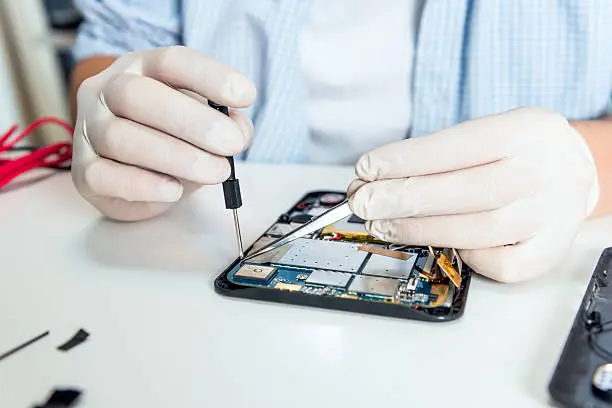
Battery replacement isn’t a DIY task for most users. iPads are designed with tightly sealed components, making professional tools and experience essential. Here’s a quick breakdown of what the process typically involves:
Diagnosis
The technician will start by examining your device to confirm the battery is the issue. Sometimes, software problems mimic battery failure. A proper diagnostic test rules that out.
Disassembly
Professionals carefully heat and lift the screen using suction tools and soft picks to avoid damaging the glass or display connectors. iPads are glued shut and require patience to open safely.
Battery Removal
The faulty battery is carefully disconnected and removed. In many iPads, the battery is glued in, requiring special adhesives and solvents to lift it cleanly.
Battery Replacement
A high-quality replacement battery is installed, and the technician ensures it connects properly. Some services offer OEM (Original Equipment Manufacturer) batteries, while others use certified third-party parts.
Reassembly and Testing
After the new battery is in, the iPad is reassembled. The technician tests the device for functionality, ensuring it charges properly and powers on as expected.
When Is the Right Time to Replace Your iPad Battery?
Timing matters, especially if your iPad is a daily essential. Here are a few scenarios where battery replacement is ideal:
1. Performance is Noticeably Affected
You find yourself charging the iPad more than using it. That’s your cue.
2. Battery Health is Below 80%
Apple devices offer battery health stats in Settings (Settings > Battery > Battery Health, depending on your model). Anything below 80% suggests reduced capacity and usability.
3. You’re Preparing for Resale
A fresh battery can significantly improve your iPad’s resale value. Buyers appreciate knowing they’re getting a fully functioning device.
4. You’re Updating iOS
Older batteries often struggle with newer iOS updates, leading to crashes and bugs. A battery replacement ensures better software compatibility.
5. Warranty or AppleCare is Ending
Before your coverage expires, it’s worth checking if you’re eligible for a discounted or free replacement.
Where to Get Your iPad Battery Replaced
Choosing where to get your iPad battery replaced is just as important as recognizing it needs one. Here are your top options:
1. Apple Store or Authorized Service Provider
Apple offers reliable battery replacements, especially if your device is under warranty or AppleCare+. However, it can be expensive and time-consuming. You’ll often need to make an appointment and may face a wait time of several days.
2. Independent Repair Shops
Local technicians can often provide faster, more affordable service. Many use high-quality aftermarket batteries and offer same-day repairs. Always check reviews and ensure they offer a warranty on their work.
3. Mail-In Repair Services
Several companies allow you to ship your iPad for repair. While convenient, it can take longer, and there’s always a risk when mailing valuable devices.
4. On-Demand Mobile Repair Services
Some companies send technicians to your home or office. These services are ideal for busy professionals who can’t spare the time to visit a shop.
5. Trusted Local Experts
If you’re searching for iPad repair services in North Miami Beach, FL, look for shops with strong local reputations, verified customer reviews, and technicians who explain every step of the process.
How to Choose the Right Repair Provider
Warranty on Parts and Labor
Only work with repair shops that offer a warranty. It shows they stand behind their service.
OEM vs. Aftermarket Parts
OEM batteries are generally more reliable, but certified aftermarket options can be just as effective if vetted.
Speed of Service
Ask if they offer same-day repair or at least a firm turnaround time.
Transparent Pricing
Get a quote before the repair. Avoid hidden fees or vague estimates.
Experienced Technicians
Check how long the shop has been in business and if their techs are certified. Read reviews for real-world feedback.
Tips to Extend Your iPad’s Battery Life Post-Replacement
A new battery doesn’t mean you can ignore care. Here’s how to keep it running well:
- Avoid Extreme Temperatures: Heat and cold degrade battery life quickly.
- Don’t Let It Fully Drain Often: Try to keep your battery between 20% and 80%.
- Use Certified Chargers: Cheap chargers can damage battery cells.
- Update Software: Apple updates often include battery optimization.
- Limit Background Activity: Disable unnecessary background app refreshes.
Is DIY Battery Replacement Worth It?
Unless you’re a tech-savvy tinkerer with the right tools, it’s generally not recommended. iPads have fragile components, and one wrong move could cost more than a professional repair. DIY also voids any warranty you might still have.
Final Thoughts
A dying iPad battery doesn’t mean the end of your device. With the right repair service, you can get it running like new and avoid the cost of buying a replacement iPad. Recognizing the signs early and acting quickly helps you stay productive and connected.
And if you’re in Florida looking for dependable and fast iPad repair services in North Miami Beach, FL, you won’t need to look far.
Mobile Xpert – North Miami Beach, FL
At Mobile Xpert, we fix your devices fast and efficiently. Whether it’s a phone, tablet, laptop, or MacBook, our expert technicians are ready to help. We use top-quality parts, offer fair prices, and focus on quick repairs to get your device back in perfect condition.
We understand how important your devices are, and we’re here to keep them working smoothly. Come visit Mobile Xpert in North Miami Beach, FL, for reliable repairs you can count on!
click here to visit website for more interesting collection of articles